gTune2.4.1
Publisher Description

gTune is the new app to configure Gremsy's gimbal
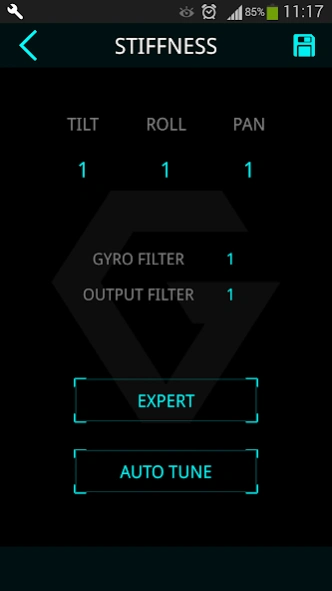
gTune is the new app developed by Gremsy, this enable users to connect and configure Gremsy's gimbal.
The devices based on ARM processor such as Samsung,..are compatible.
This app was built with clean layout to offer users the better experience. Improvements of UI will help users configure their gimbal much easier.
About gTune
The company that develops gTune is Gremsy Technology. The latest version released by its developer is 2.4.1.
To install gTune on your Android device, just click the green Continue To App button above to start the installation process. The app is listed on our website since 2026-04-29 and was downloaded 15 times. We have already checked if the download link is safe, however for your own protection we recommend that you scan the downloaded app with your antivirus. Your antivirus may detect the gTune as malware as malware if the download link to gremsy.gTune.arm is broken.
How to install gTune on your Android device:
- Click on the Continue To App button on our website. This will redirect you to Google Play.
- Once the gTune is shown in the Google Play listing of your Android device, you can start its download and installation. Tap on the Install button located below the search bar and to the right of the app icon.
- A pop-up window with the permissions required by gTune will be shown. Click on Accept to continue the process.
- gTune will be downloaded onto your device, displaying a progress. Once the download completes, the installation will start and you'll get a notification after the installation is finished.
Program Details
System requirements
Download information
Pricing
Version History
version 2.4.1
posted on 2026-04-29
- Fixed an issue related to 16KB memory handling.
- Enabled default UDP connection on port 14564.
version 2.4.0
posted on 2025-08-07
- Improved features for better performance and stability.
- Upgraded target SDK to version 36 for enhanced compatibility and security.
- Added support for Payload connection via UDP protocol.
version 2.3.9
posted on 2024-10-07
- Improve feature
version 2.3.7
posted on 2023-03-16
- Detect new gimbal T3_2AXIS.
- Enable Auto Tune (This is still a beta development, so please be carefull).
- Enable Change Mounting.
version 2.3.5
posted on 2021-03-22
- Support latest gimbal generation from Gremsy, Mio
- add new method to set gimbal mode by remote control
- add PAN DRIFT REDUCE function
version 2.3.4
posted on 2020-09-24
- fix bluetooth bugs: can not reconnect after quit app
- change GIMBAL MODE set and get method
version 2.3.3
posted on 2020-08-18
- improve data transmission
- add mavlink tab in Controls menu
- remove TIMELAPSE and REPLAY
- move set mode to DASHBOARD
- add HOME RETURN switch
- remove AUTO POWER switch, AUTO POWER is always ON by default
- remove SBUS type selection, gimbal will accept all types of SBUS protocol
version 2.3.1
posted on 2019-10-18
Fix bug: Save profile for mavlink v2
